Device Details
Overview
| Name | Version: | Ice Age 1.0 |
| Author: | Aynixx |
| Device Type: | Audio Effect |
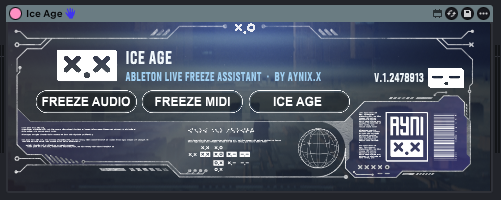
| Description: | ICE AGE is a one-click freeze assistant for Ableton Live. Freeze all audio tracks, all MIDI tracks, or the whole project with a single button. Built for producers and collaborators tired of broken sessions, missing plugins and version chaos. 👉 DOWNLOAD LINK HERE (If the blue button shows 0 MB, download it from my GitHub): https://github.com/x-soundlab/ice-age-maxforlive ICE AGE scans your Live Set, builds a freeze queue, and processes all eligible tracks automatically. Use FREEZE AUDIO for audio tracks, FREEZE MIDI for MIDI tracks, or ICE AGE to freeze everything that can be frozen. Also skips tracks that should not be touched, including group tracks, already frozen tracks, tracks Ableton cannot freeze, and the track where the device is loaded when detected. You can also add "skip" anywhere in a track name to protect it, useful for sidechain triggers, routing tracks, reference tracks, or anything you want to keep active. Our first Max for Live device for Ableton Live! Created by Aynix.x Do not resell, repackage, modify, or redistribute altered versions without permission. |
Details
| Live Version Used: | 12.0.5 |
| Max Version Used: | 8.6.2 |
| Date Added: | Jun 09 2026 17:52:22 |
| Date Last Updated: | Jun 09 2026 18:31:32 |
| Downloads: | 4 |
| Website: | https://github.com/x-soundlab/ice-age-maxforlive |
| ⓘ License: | AttributionNonCommercialNoDerivatives |
Average Rating
Log in to rate this device |
-n/a- |
Files
| Device File: | Ice_age.amxd |
Login to comment on this device.
Browse the full library